MochiKaiwa uses AI to teach you Japanese through actual conversations. No matter if you’ve never studied Japanese before or you’re trying to get better at speaking, the app makes everything straightforward.
The interface is user-friendly – here’s what you need to know to use it effectively.
1. Choose Your Session
Start by choosing a session that fits your needs – from beginner-friendly introductions to practical everyday scenarios.
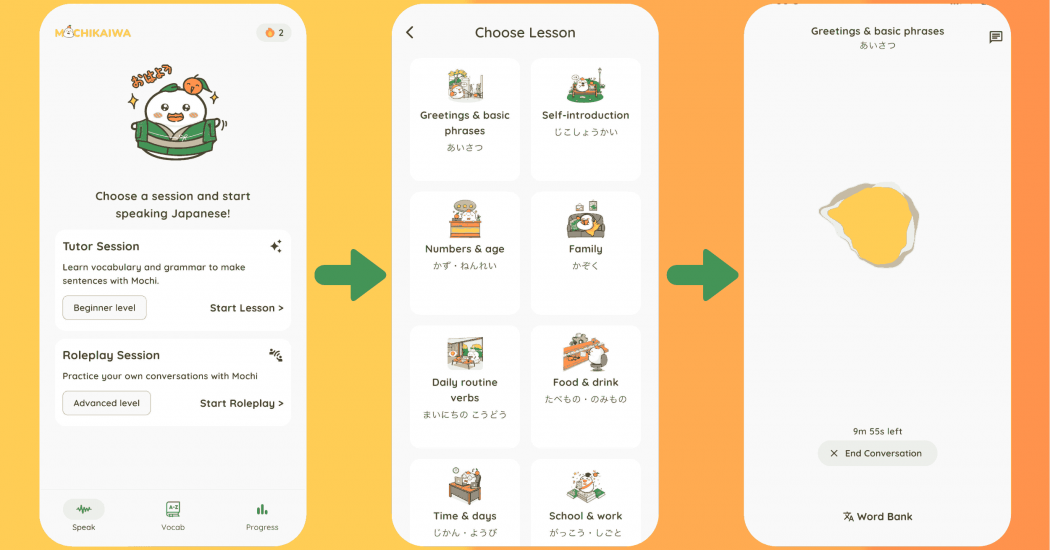
Tutor Session (Building Your Foundation)
If you’re just starting out, these sessions teach you the basics through guided speaking practice. Here’s what happens:
- You learn essential words with clear explanations of how to say them, what they mean, and when to use them
- You speak and read aloud while Mochi AI listens in real-time, and you get instant corrections on pronunciation, word choice, and sentence structure
- Every new word is practiced inside actual conversations, then saved automatically for review later
Rather than memorizing alone, you talk directly with Mochi AI from day one, building correct speaking habits right from the start.
Roleplay Session (Real Conversation Practice)
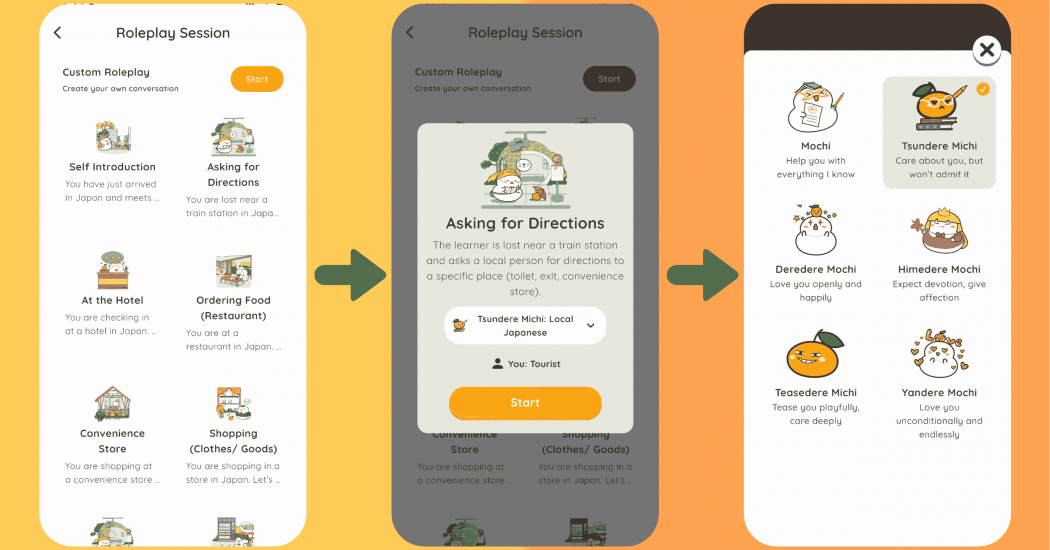
These are 10-minute roleplay conversations that feel like real-life situations – ordering food, traveling, working, or everyday chats. You take on a role and actively speak the whole time, just like talking with a native Japanese speaker.
What makes it special:
- You can pick from six different AI personalities (Mochi, Tsundere, Teasedere, Himedere, Yandere) to match your practice style
- The AI helps you during the conversation by analyzing questions, and giving simple example answers
- You can customize everything – your role, your partner’s role, the situation, and how the AI talks to you
- In just 10 minutes, you’ll start thinking and responding in Japanese naturally
After each roleplay, you can review the full conversation script and get detailed feedback on your performance. This shows you what you’re doing well and what to focus on next time.
2. Review Your Vocabulary
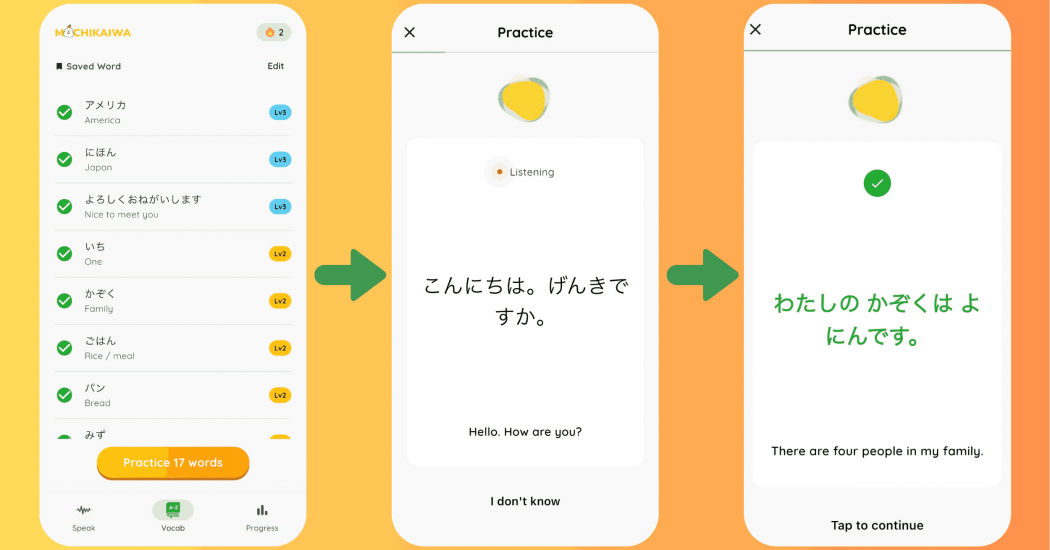
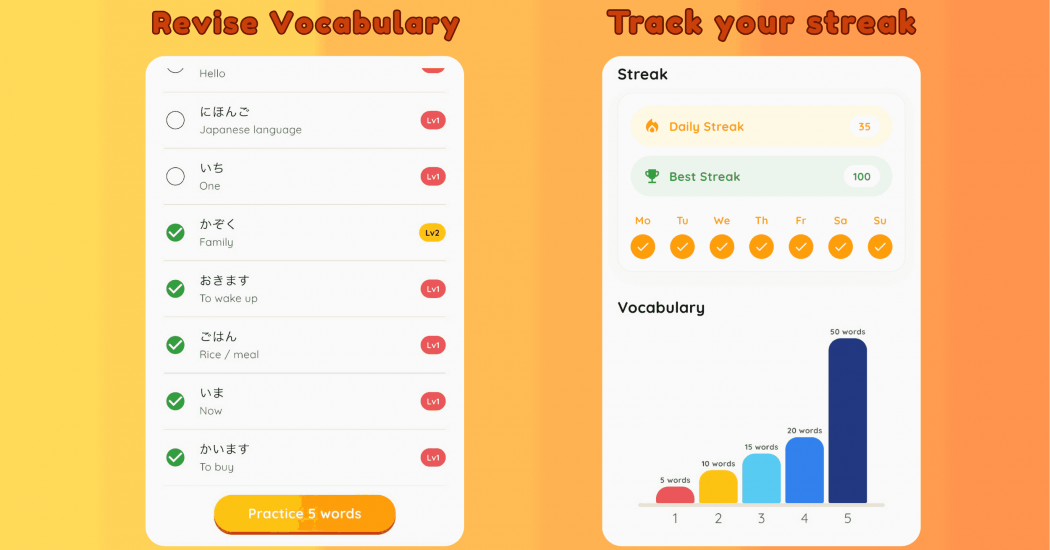
After practicing, head to the Vocabulary section. All the words you’ve learned are saved automatically as audio flashcards, making them easier to remember and actually use when speaking. The five-level memory system shows you exactly which words you’ve mastered and which need more practice – making your progress super clear.
3. Track Your Progress
Check your daily study streak to see how consistent you’ve been. Watching those consecutive days add up keeps you motivated to practice regularly.
Time To Start Speaking With MochiKaiwa
Why keep waiting? MochiKaiwa brings Japanese conversation practice straight to your phone with fun 10-minute roleplay sessions. Whether you’re starting from zero or want to speak more confidently, there’s a session designed for you.
Take your first step today!