
Every Japanese learner hits the same wall. You’re reading a sentence, and suddenly — there it is. A kanji you’ve never seen before. You stare at it. Nothing comes to mind. However, before you panic, know this: there are fast, reliable ways to look up kanji in any situation. In this guide, Kanji123 walks you through five proven methods, from the simplest copy-paste trick to a powerful reading-prediction technique that works without a dictionary at all.
If you’re still building your kanji foundation, check out our Beginner’s Guide to Kanji first. Then come back here to master the lookup skills.
Method 1: Copy and Paste — The Easiest Way to Look Up Kanji
Let’s start with the fastest method available. If the kanji appears on your screen, you can identify it in seconds. Simply highlight it, copy it, and paste it into an online dictionary.

Here’s how to do it:
- Highlight the unknown kanji with your cursor.
- Press Ctrl+C (Windows) or Cmd+C (Mac) to copy it.
- Open Jisho.org and paste it into the search bar.
- Press Enter and read the results.
Jisho instantly gives you the meaning, reading, stroke count, and radical breakdown. Therefore, you get everything you need in a single step. Because it’s so quick, this method should always be your first move when the kanji is on a screen.
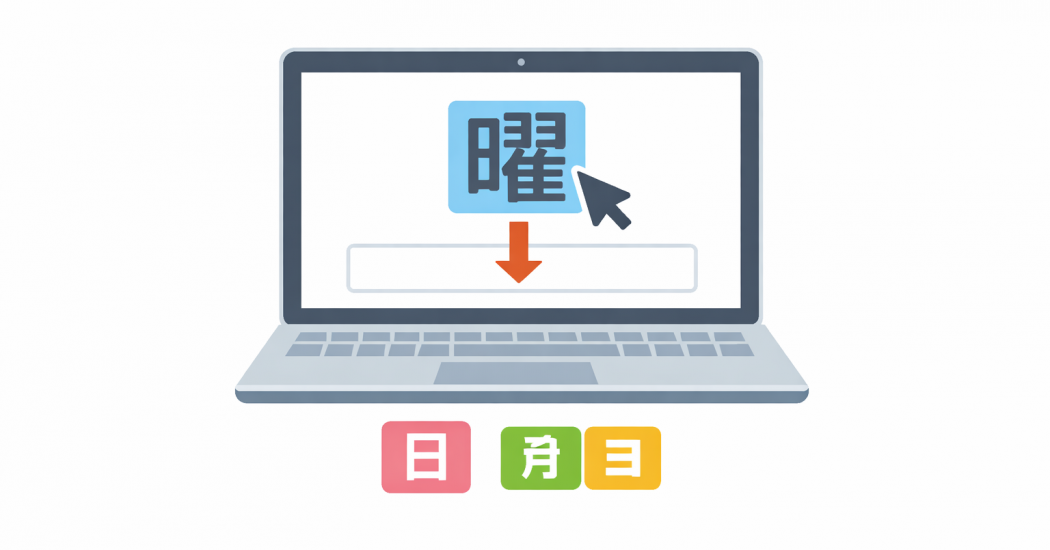
However, this approach has one big limit: it only works for typed text. It won’t help you with physical books, handwritten notes, or manga. For those situations, you need the methods below.
Method 2: Look Up Kanji by Radical
A radical is a core component that makes up a kanji. Every kanji contains at least one. Because radicals are the building blocks of kanji, recognizing them is the key to looking up any character you don’t know.
What Is Radical?
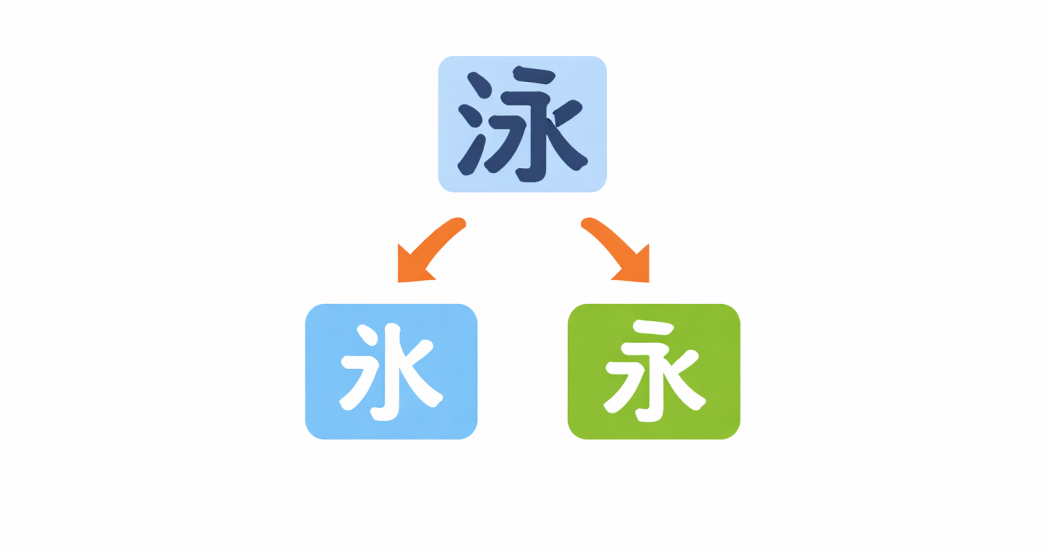
Think of radicals like root words in English. For instance, 泳 (swim) contains the water radical 氵 on its left side. That radical signals the kanji has something to do with water. In addition, it narrows down which section of a dictionary to search.
How to Use Radical Search on Jisho
Jisho has a built-in radical search tool. Here’s how to use it step by step:
- Go to Jisho.org and click the # icon to open radical search.
- Look at the unknown kanji and find the simplest part you recognize.
- Click that radical on the grid.
- Jisho immediately grays out radicals that don’t appear alongside yours.
- Next, click a second radical to narrow the results further.
- Finally, find your kanji in the list at the bottom.
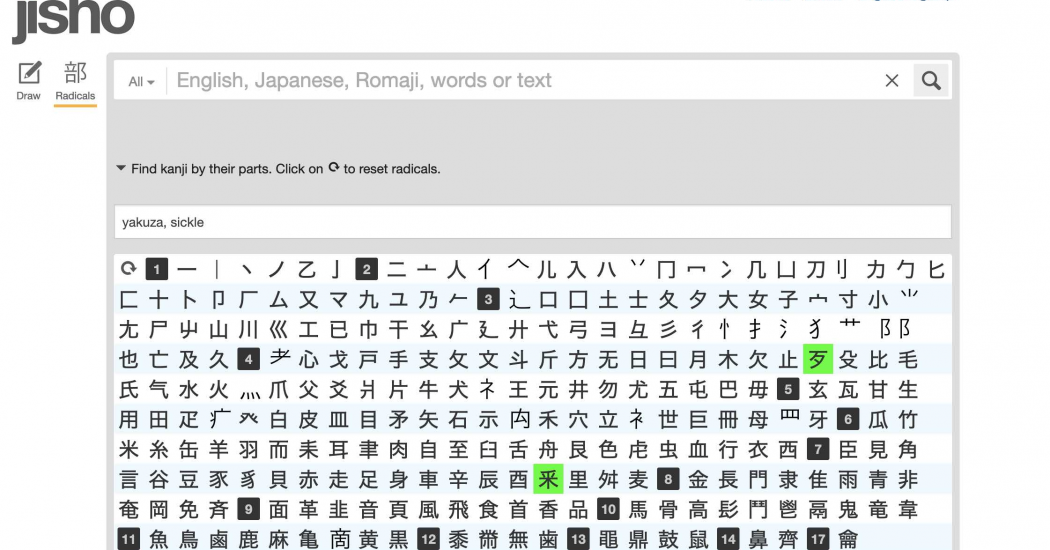
For example, take the kanji 曜. You can spot 日 (sun) on the left. Click it — the results shrink dramatically. Then click ヨ, and only 曜 remains. You’ve found it in two clicks.
This method does require some practice. However, it gets faster every time you use it. Moreover, it works offline too — because physical dictionaries use the exact same radical index system.
Method 3: Look Up Kanji in a Physical Dictionary
Sometimes you don’t have a phone or laptop nearby. In addition, some learners genuinely prefer paper. Either way, a physical kanji dictionary gives you three different lookup paths.
Option A: Search by Radical (Most Common)
Each kanji has one official radical assigned to it. Therefore, you find that radical in the dictionary’s index, note its page number, and flip to that section. Then you scan through the kanji listed there.
Where do you find the radical? Look for it in these three places:
- The left side — for example, 泳 has the water radical on the left.
- The top — for example, 花 has a cover radical across the top.
- Wrapping around the outside — for example, 病 has a radical that frames the whole character.
Option B: Search by Reading
If you can hear or guess the kanji’s reading, this method is faster. Find that sound in the reading index. Then scan the kanji listed under it until you spot yours.
Option C: Search by Stroke Count
This is the slowest option. However, it works when you have no idea of the radical or reading. Count every single stroke in the kanji carefully. Then look up that number in the stroke-count index and scan through the matching characters.
Method 4: Use Handwriting Recognition to Look Up Kanji
Handwriting recognition tools let you draw a kanji with your finger or mouse. The app then suggests what you most likely wrote. As a result, this method works great for handwritten text in letters, books, or manga speech bubbles.
On iPhone or iPad
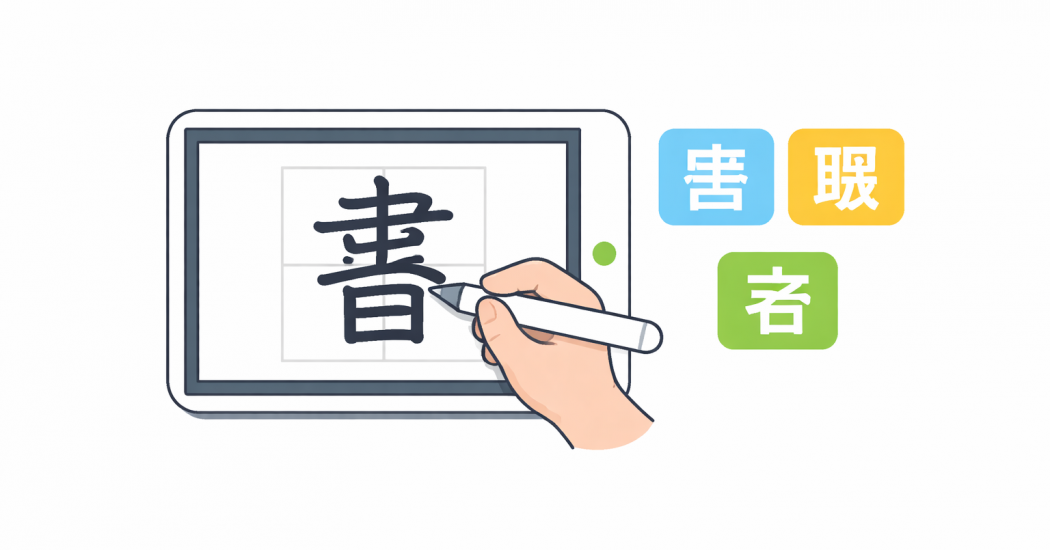
You can add a handwriting keyboard directly in Settings:
- Go to Settings → General → Keyboard → Keyboards → Add New Keyboard.
- Select Chinese (Simplified) → Handwriting.
- Open any notes app and switch to the new keyboard.
- Draw the kanji with your finger.
- Copy the result and paste it into a dictionary app.
Because this method uses your phone’s built-in tools, it costs nothing and works without extra downloads.
On Android
Enable Google Handwriting Input from the Play Store. Similarly, draw the kanji on the input pad, and Android suggests the closest match. Then copy it into Jisho or any dictionary of your choice.
On Your Computer
Go to Google Translate and set the source language to Japanese. Click the pencil icon to switch to handwriting input. Draw the kanji, and Google identifies it almost instantly. Furthermore, you get a translation on the spot — without needing a separate dictionary step.
Dedicated Hardware
Some learners invest in an electronic Japanese dictionary (電子辞書). These devices have a stylus pad built in, so you can draw kanji directly. Consequently, they’re accurate and fast. However, they cost more than a free app, so they’re best suited to serious learners who spend a lot of time reading in Japanese.
Method 5: Guess the Reading Using Phonetic Compounds
This is the most advanced method. Moreover, it feels like a genuine superpower when it clicks. Instead of looking up an unknown kanji, you can often predict its reading — because most kanji contain a hidden reading clue.
What Is a Phonetic Compound?
Most kanji are built from two parts:
- The classifier radical — usually on the left or top. It sometimes hints at the meaning category.
- The phonetic compound — usually on the right. It hints at the pronunciation.
About 67% of all joyo (standard-use) kanji contain a phonetic compound. Therefore, learning even a small set of these components unlocks reading shortcuts for hundreds of characters.
How to Look Up Kanji Readings Using This Method
Here is a clear example. The character 青 (せい) acts as a phonetic compound inside several other kanji:
| Kanji | Contains 青 | Reading |
|---|---|---|
| 清 | ✓ | せい |
| 晴 | ✓ | せい |
| 精 | ✓ | せい |
| 情 | ✓ | じょう (irregular — exceptions exist) |
| 請 | ✓ | せい / しん |
Because they all share 青 on the right side, they mostly share a similar reading. So when you encounter an unfamiliar kanji with 青 on the right, you can make a smart, informed guess.
More Phonetic Compounds Worth Knowing
Here are some of the most useful compounds to learn first:
| Compound | Core Reading | Example Kanji |
|---|---|---|
| 方 | ほう / ぼう | 防, 坊, 房, 訪, 放, 妨 |
| 同 | どう | 洞, 胴, 銅, 桐, 筒 |
| 召 | しょう | 招, 昭, 紹, 詔, 照 |
| 包 | ほう | 抱, 泡, 胞, 砲, 飽 |
| 生 | せい | 姓, 性, 星, 牲 |
| 交 | こう | 校, 絞, 較, 郊, 効 |
Learning around 100 of these compounds gives you a shortcut to roughly 500 kanji. That covers about one quarter of all joyo kanji. In addition, this skill provides a real edge on the JLPT reading section, where you sometimes need to guess readings you haven’t studied.
Note that exceptions exist. However, even an educated guess gets you much closer than staring blankly at the page.
Quick-Reference: Which Method Should You Use?
| Your Situation | Best Method |
|---|---|
| Kanji is on a screen | Copy and paste into Jisho |
| You can spot a recognizable part | Radical search (Jisho or physical dict.) |
| No internet, physical book only | Paper dictionary — radical or stroke count |
| Handwritten text (book, letter, manga) | Phone/computer handwriting recognition |
| Unfamiliar kanji with a familiar part on the right | Phonetic compound prediction |
Keep Building From Here
Now you have five reliable ways to look up kanji. However, looking things up is just the beginning. You also need to retain what you find — otherwise, you’ll look up the same character twenty times.
MochiKanji focuses on helping you learn kanji so they actually stick. Our Kanji Radical Guide for Beginners teaches you the most common building blocks first. Furthermore, our How to Read Kanji in Context guide shows you how to move from isolated study to real reading practice.
The fewer unknown kanji you meet, the less time you spend looking things up. Therefore, start with radicals — because that’s where every other skill builds from.
© Kanji123 — Free JLPT Kanji Test Online